Paste your list
Demo data, made up: three client sites, added at once.
- Sites are grouped by client; export your data as JSON and CSV at any time.
- The prices on the pricing page may change before paid plans open; nothing is on sale yet.
You are the whole support team. Beamfar is website monitoring for freelancers who look after client sites: it checks each site from two regions, wakes you only when both agree, and keeps the evidence for the client.
Last night, while you slept
www.birch.example
Fewer false alarms, a clear answer when something breaks, and a way to show clients the work without an afternoon of screenshots.
One region failing sends no alert. You hear about it when two regions agree, with what each saw.
An expiring certificate, a changed DNS record, a page that went noindex, a domain about to lapse: all on one timeline.
One monthly report per client, printable to PDF, every number from a stored check. See a sample.
The same portfolio on a phone, with the trouble first. Install the app from the browser and turn on incident notifications for your own devices.
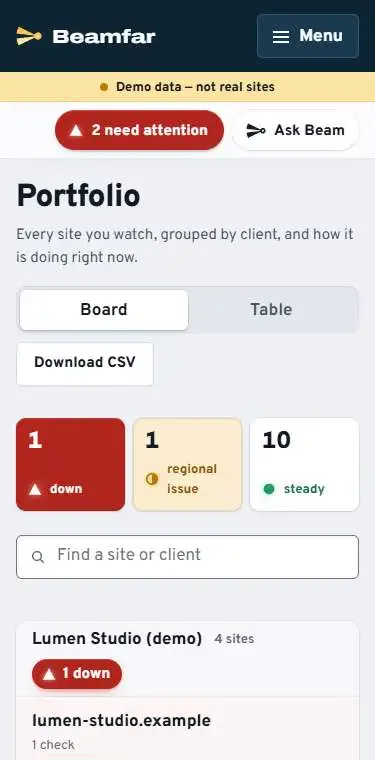
Paste your client sites and both regions start checking as soon as you add them. The Solo plan covers 10 client sites and 2 people.
Demo data, made up: three client sites, added at once.
There is a Solo plan: 10 client sites and 2 people. The prices on the home page may change before paid plans open; nothing can be bought yet.
No. Checks run from outside, so any stack works.
To email on every plan, and to Slack, Microsoft Teams, Discord, Telegram, Google Chat, PagerDuty, Opsgenie or ntfy on every paid plan. A signed webhook comes with the Team plan and up.
Longer reads on the same ground, in plain words, each with its sources.
Add your client sites and both regions start checking. Judge the evidence yourself.
No card for the trial.